If your business is still running Windows 10, you’re not alone — but you are running out of time. Actually, if we’re being honest, the deadline has already passed.
Windows 10 officially reached its end of life on October 14, 2025. That means Microsoft is no longer releasing security updates, bug fixes, or technical support for it. Your computers still work, but they’re now running without any protection from newly discovered threats. Every day you stay on Windows 10, the risk to your business grows.
The good news? It’s not too late to fix this. Let’s walk through exactly what’s happening, why it matters, and what you should do next.
What “End of Life” Actually Means for Your Business
When Microsoft ends support for an operating system, it doesn’t flip a switch and break your computers. Everything still runs — at first. But here’s what’s changed:
- No more security updates. When hackers discover new vulnerabilities in Windows 10 (and they will keep finding them), Microsoft won’t patch them. Those holes stay open permanently.
- No more bug fixes. Any technical issues that come up? You’re on your own.
- No more support. If something goes wrong, Microsoft won’t help you fix it.
Think of it like this: your business is now operating without a safety net. And hackers know it. Cybercriminals actively target unsupported systems because they know the vulnerabilities will never be fixed. Running Windows 10 right now is essentially putting a sign on your business that says “easy target.”
Beyond the security risks, there are also real business consequences — compliance violations if your industry requires up-to-date systems, higher costs if something goes wrong, and productivity disruptions if systems get compromised.
Why Windows 11 Is Worth the Upgrade
Some people hear “new operating system” and immediately think it’s just a visual facelift. Windows 11 is a lot more than that — especially for small businesses.
Security is dramatically better. Windows 11 requires hardware features called TPM 2.0 and Secure Boot, which provide a much stronger defense against ransomware and sophisticated cyberattacks. This isn’t just a nice-to-have — it’s a meaningful upgrade in how protected your business is.
It’s built for AI. Windows 11 has native support for Microsoft Copilot, an AI assistant built right into the operating system. It can help your team write documents faster, summarize information, automate repetitive tasks, and make smarter decisions — all without needing separate software.
It’s faster and cleaner. The interface is streamlined, performance is snappier, and the overall experience is more modern. Your team will notice the difference.
The shift to Windows 11 isn’t just about staying current. It’s about setting your business up to run more efficiently and securely for the next several years.
The Catch: Not Every Computer Can Run Windows 11
Here’s where things get a little complicated. Windows 11 has stricter hardware requirements than Windows 10, which means not every computer in your office will qualify for the upgrade.
To run Windows 11, a device needs:
- A compatible processor (most CPUs from 2018 or newer qualify, but not all)
- TPM 2.0 (a security chip built into most modern computers)
- Secure Boot capability
- At least 4GB of RAM and 64GB of storage
If your computers are more than four or five years old, there’s a real chance some of them won’t meet these requirements. That means your upgrade plan might also involve replacing some hardware — which is important to know now so you can budget for it properly.
Microsoft offers a free PC Health Check Tool that scans your computer and tells you whether it’s compatible with Windows 11. It takes about two minutes to run and takes all the guesswork out of it.
What You Should Do Right Now
The longer you wait, the more exposed your business is. Here’s a straightforward action plan to get you moving:
1. Find out where you stand. Run the PC Health Check Tool on every computer in your office. Make a list of which ones qualify for the upgrade and which ones don’t. This gives you a clear picture of what you’re working with.
2. Back everything up. Before making any changes to your systems, back up all your important files and data. This is non-negotiable. You want a clean backup in place before you start upgrading anything.
3. Check your software compatibility. Most modern business software works fine on Windows 11, but it’s worth confirming that the specific apps your team relies on are compatible. The last thing you want is to upgrade your OS and discover a critical piece of software doesn’t work properly.
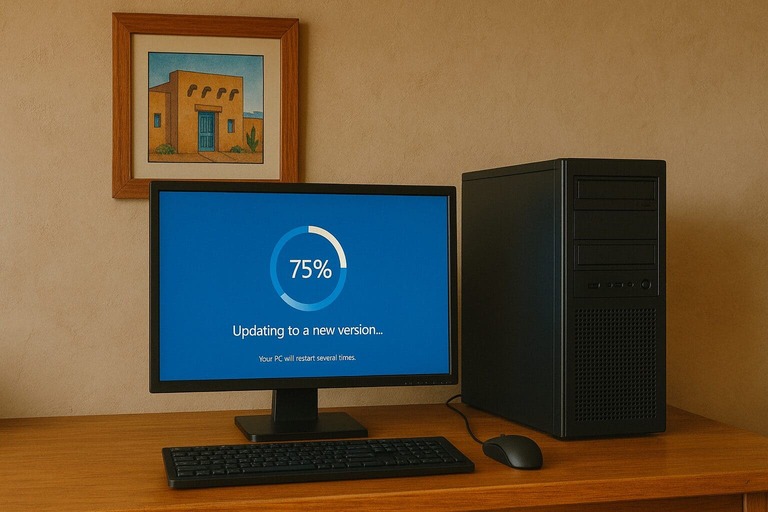
4. Plan your rollout. Don’t upgrade every computer at the same time. Start with a small group of users, work out any kinks, then roll it out to the rest of the team. Doing upgrades during off-hours or slower business periods helps minimize disruption.
5. Train your team. Windows 11 has a slightly different look and feel than Windows 10. It’s not a huge learning curve, but giving your team a heads-up about what’s changed prevents frustration and lost productivity.
6. Replace incompatible hardware. If some of your computers can’t run Windows 11, it’s time to replace them. Yes, it’s an added expense — but consider this: a computer that can’t run Windows 11 is likely several years old and probably already slowing your team down. New hardware is an investment in productivity, not just a checkbox.
The Longer You Wait, the Harder It Gets
Here’s something worth knowing: a lot of businesses are in the same boat right now. That means there’s increased demand for new computers, IT support, and upgrade services. The businesses that are acting now are getting ahead of the rush. The ones that wait will face longer timelines, potential hardware shortages, and more pressure to get everything done quickly — which is exactly when mistakes happen.
If your business handles sensitive customer data, processes payments, or operates in a regulated industry, staying on Windows 10 isn’t just risky — it could put you out of compliance with security standards. That’s a legal and financial risk you don’t want hanging over your head.
How Zia Networks Can Help
Upgrading an entire business to a new operating system sounds like a big project — and honestly, without the right help, it can be. But it doesn’t have to be stressful.
At Zia Networks, we help small businesses navigate exactly this kind of transition every day. We start by auditing your current setup — checking which devices are compatible, identifying what needs to be replaced, and assessing any risks specific to your environment. Then we build a plan that fits your timeline, budget, and team.
We handle the technical heavy lifting — hardware procurement, software configuration, data migration, and full deployment — so your team experiences as little disruption as possible. And once you’re on Windows 11, we help you actually take advantage of its new features, including the AI tools that can genuinely make your team more productive.
You shouldn’t have to figure all of this out on your own. That’s what we’re here for.
Still running Windows 10? Contact Zia Networks today for a free assessment and let’s get your business protected.