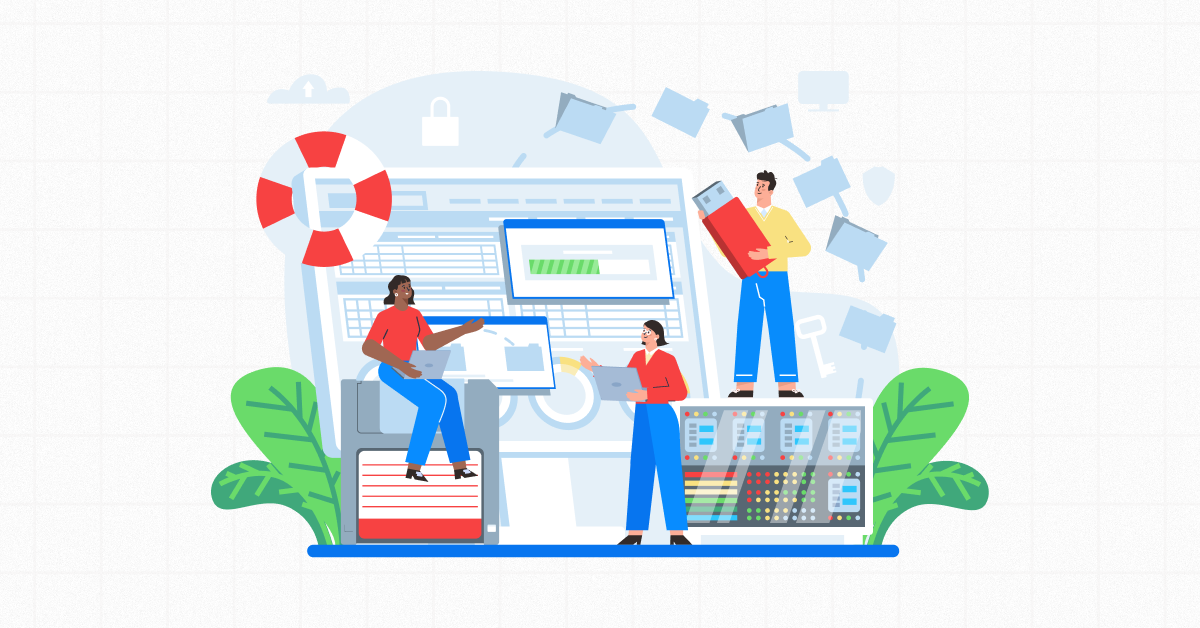
Cloud backup for small business protection is one of the most overlooked parts of cybersecurity. A lot of small business owners think they’re covered. However, the moment you actually test their backup, it falls apart. Either the restore doesn’t work as expected, or the system never backed up the data that actually mattered.
Real cloud backup for small business protection means automated, monitored, offsite copies of your data. You should also test those copies regularly and build them to survive a ransomware attack.
It’s not a synced folder. It’s not an old external drive gathering dust in a drawer.
This is the exact gap ZIA Networks helps close. We set up backup systems and verify that they work before an emergency puts them to the test.
What Does “Backed Up” Actually Mean?
Honestly, most people assume it just means “the files exist somewhere else.” But real protection goes much deeper than that. It’s about whether those files are current, recoverable, and safe from the threats most likely to affect them.
In simple terms, being properly backed up means:
- Your data is copied automatically, without relying on someone remembering to do it.
- Copies exist in more than one location — ideally including offsite or cloud storage.
- Older versions of files are kept, so you can roll back if something gets corrupted or encrypted.
- Someone (or something) is actively checking that the backup jobs are running successfully.
- The backup has been tested by actually restoring data from it.
If your current setup is missing more than one of these, you don’t have a backup strategy. You have a backup hope.
A proper cloud backup for small business solution closes this gap by giving you reliable copies and a recovery process you can test.
Mistake 1:Treating Sync as the Same Thing as Backup
A folder that syncs to your cloud drive is handy. However, it isn’t a true backup in the way most people think.
If someone deletes or corrupts a file, that change can spread to every connected device. Ransomware can create the same problem. You may end up with a flawless, freshly updated copy of a file that’s already ruined.
The fix: A real cloud backup for small business setup keeps version history. You can then return to a clean copy from before the problem happened. You don’t have to rely on the most recent version, which may already contain the damage.
Mistake 2: Never Testing the Restore Process
Backing up your data is only half the battle. The other half is being able to pull that data back when you need it.
That’s the part most people never bother to check. If you’ve never restored a file from your backup, you don’t actually know whether the process works.
The fix: Treat restore testing like any other maintenance task you wouldn’t skip. For most small businesses, testing every three months is a solid place to start.
Mistake 3: Keeping All Backups On-Site
A backup stored in the same building as your original data protects you from only a few problems. It may help with accidental deletion, for example.
However, it does little if your office suffers a fire, flood, or theft. Ransomware can also spread across your network and take a local backup down with everything else.
The fix: This is precisely why cloud backup for small business strategies matter. An offsite copy can protect your data even if your office becomes unavailable.
Mistake 4: Forgetting That Ransomware Targets Backups Too
Modern ransomware doesn’t just lock your live files. It also hunts for backup files and tries to delete or encrypt them.
Attackers know that a business with a reliable backup can restore its own data. That gives the business less reason to pay a ransom.
The fix: This is exactly why cloud backup for a small business matters so much. An offsite copy gives your data a better chance of surviving an attack, even if your office doesn’t.
Mistake 5: Assuming Backup and Disaster Recovery Are the Same Thing
Having your files backed up is not the same as getting your business running again quickly.
Backup and disaster recovery are related, but they cover different areas. Disaster recovery looks at the bigger picture. That includes your applications, systems, workflows, and how quickly everything comes back online after an incident.
The fix: Ask not just “Is my data backed up?” Ask this too: “How long would it take my business to become fully operational again if everything went down today?”
Is Local Backup Enough, or Do I Need Cloud Backup Too?
Local backups definitely still have their place. They’re quick, and they’re perfect for grabbing back a single file you accidentally deleted an hour ago. But they’ve got one real weak spot — if something happens to your actual office, whether that’s a fire, a flood, a break-in, or ransomware spreading across your network, your local backup usually goes down right along with the original data.
That’s really why it makes sense to pair local backup with cloud backup for a small business, instead of putting all your trust in just one. Local backup is great for the small, everyday slip-ups where you just need a file back fast. Cloud gives you a real shot at survival when something bigger goes wrong. Used together, you’re covered for both.
Can Ransomware Delete or Encrypt Your Backups?
Modern ransomware doesn’t stop at your live files — it actively searches for backup copies and tries to encrypt or delete them too, because attackers know a business with a working backup has little reason to pay a ransom.
The way around this is immutability: backup storage that can’t be altered or deleted, even by someone with admin credentials, for a set period of time. Even a solid cloud backup setup for a small business can still get wiped out right along with everything else when an attack hits, if that protection isn’t in place
What’s the Difference Between Backup and Disaster Recovery?
People throw these two terms around like they mean the same thing, but they really don’t. Backup, at its core, is just about keeping a safe copy of your data somewhere. Backup and disaster recovery, as a combined strategy, are about how quickly your entire business — not just files, but systems, applications, and workflows — can be up and running again after something goes wrong.
A lot of owners assume having files backed up means they’re fully covered, only to realise during an actual outage that data alone doesn’t restart a business.
What Does a Reliable Cloud Backup for Small Business Actually Include?
A dependable setup typically includes a few non-negotiable pieces:
- Backups that run automatically, without anyone needing to remember to kick them off.
- Offsite or cloud storage, so a local incident doesn’t take out your only copy.
- Version history, so you can roll back to a point before something broke.
- Immutable storage that ransomware can’t touch.
- Active monitoring and alerts for failed jobs.
- Scheduled restore testing to confirm the data can actually be recovered.
If your current setup is missing more than one of these, it’s worth having someone take a closer look before it becomes a problem you find out about the hard way.
How Do I Check If My Backup Is Actually Doing Its Job?
Answer these honestly:
- Has anyone actually restored a file from your backup in the last three months?
- If your office were inaccessible tomorrow, would your data still be reachable somewhere else?
- Would you find out about a failed backup job immediately or only during an emergency?
- Could ransomware delete your backups along with your live files?
If any of these gave you pause, your current setup likely needs a second look.
How Does ZIA Networks Help Small Businesses Stay Protected?
At ZIA Networks, the approach isn’t to sell a backup product and walk away — it’s to actively manage the whole process. That means monitored, automated cloud backup for small business systems that get checked continuously, not just installed once and forgotten. It means scheduled restore testing, so businesses know their backup works before they ever need it in an emergency. And it means building backup and disaster recovery into one strategy, so data protection and business continuity aren’t treated as two separate problems.
Small businesses don’t have the internal IT resources that larger companies do, and that’s usually where the gaps start. Working with a team that treats backup monitoring as an ongoing responsibility, rather than a one-time setup, closes that gap without requiring an in-house IT department.
Frequently Asked Questions
1. Can small businesses rely on cloud backup alone, or is that not enough?
Cloud backup works best when it’s paired with version history, immutability, and regular restore testing — not treated as a box you check once and forget about.
2. How Often Should You Test Your Business Backups?
For most small businesses, checking your backup every three months is a reasonable place to start. If you’re handling sensitive customer info or pushing a lot of transactions through daily, honestly, you’ll want to check on it more often than that.
3. Can ransomware really affect backup files?
Yes. Modern ransomware often targets backups specifically, which is why immutable, offsite backup storage matters so much.
4. What’s the difference between backup and disaster recovery?
At its core, backup just means having a copy of your data somewhere safe. Disaster recovery is about how quickly your entire business — systems, applications, and workflows — can be back up and running after an outage.
Our Thoughts
Most business owners don’t think much about their backup until the day they actually need it — and by then, it’s too late to fix what should have been solid months earlier. If you’re not confident in your current setup, that’s worth resolving today, with a partner like ZIA Networks, before an incident decides for you.
