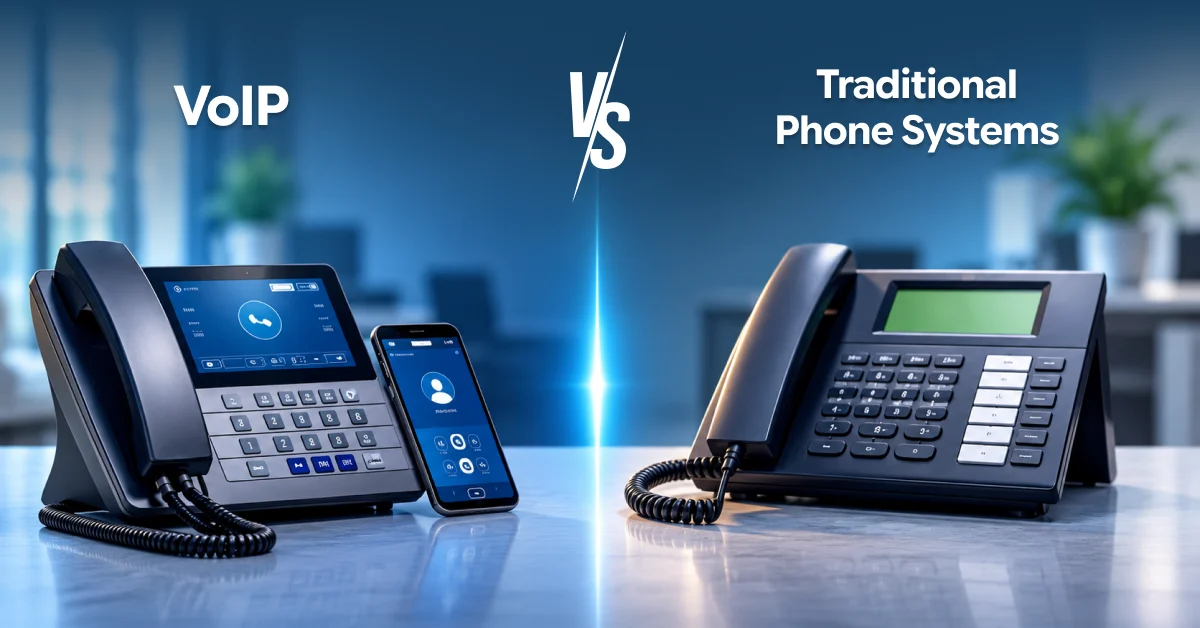
VoIP vs. Traditional Phone Systems: What a Small Business Should Know Before Switching

VoIP for small business

If your office has dependable internet, VoIP for small business is usually cheaper, more flexible, and easier to manage than a traditional phone system. Old-school lines still win in a few narrow situations, and we’ll point those out so you can judge your own.

This guide from ZIA Networks is for owners, office managers, and the “accidental IT person” at companies with roughly 3 to 50 employees. You’ll get plain-English definitions, a side-by-side comparison, a realistic cost model, a switching checklist, and a simple trial you can run before you commit to anything. 

What Is VoIP, and How Does It Differ From a Traditional Phone System?

VoIP (Voice over Internet Protocol) turns your voice into small digital data packets and sends them over the internet instead of dedicated copper phone lines. You can make and receive calls on a desk phone, a computer, or a smartphone app. Many providers sell it as part of internet phone services for small business.

That flexibility is why VoIP for small business has moved from “interesting experiment” to the default choice for many growing teams.

What Counts as a “Traditional” Phone System?

The conventional telephone service makes use of the PSTN, which uses real wires or fibers connected to your building and linked to a PBX that directs calls from desk to desk. These cables can handle a specified amount of traffic, and any alteration requires a professional to make.

It’s like cable versus streaming. One connects directly to a certain point in your home, while the other goes wherever you go.

How Each System Works Behind the Scenes

The two systems do the same job, connecting a human voice to another human voice, but the path is very different.


Component

Traditional (PSTN + PBX)

VoIP (cloud-based)

Call path

Phone → on-site PBX → carrier line → PSTN

Phone or app → your internet → provider’s cloud → destination

Where the “brain” lives

A hardware box in a closet

The provider’s data centers (a hosted PBX)

Adding a user

Run a line, program the PBX

Create a login in a web dashboard

Capacity

Limited by number of physical lines

Limited mainly by your bandwidth

Phone number tied to

A physical location

You, wherever you are


Two terms worth knowing. Think of SIP trunking as giving your existing phone box an internet connection, while a hosted PBX removes the box entirely and lets your provider run the system for you. Most small teams choose hosted, because there is no closet box to maintain.

VoIP vs. Traditional Phone Systems: Side-by-Side Comparison

Compared directly, VoIP wins on cost, scalability, mobility, and features, while traditional systems win on independence from your internet connection. For most small offices, the first four matter more day-to-day than the last one.


Factor

VoIP

Traditional

Upfront cost

Low (phones optional)

High (PBX hardware, wiring)

Monthly cost

Predictable per-user fee

Per-line fees plus maintenance

Adding or removing staff

Minutes, from a dashboard

Days, often with a technician visit

Remote and hybrid work

Built in via mobile and desktop apps

Limited or requires call forwarding

Features (auto attendant, voicemail-to-email, analytics)

Usually included

Often extra-cost add-ons

Works during an internet outage

Only with a failover plan

Yes, unless power is also out

Moving offices

Take your phones and plug in

Reorder lines, reinstall equipment

Long-term outlook

Where carriers are investing

Copper networks are being retired in a growing number of regions


That last row deserves attention. Carriers in several countries have been phasing out aging copper infrastructure, so a landline-based setup you buy today may be harder to support in a few years. Check your own carrier’s plans before signing a long contract.

What Does Each Option Really Cost?

Traditional systems typically cost more up front and in ongoing maintenance, while VoIP is mostly a predictable monthly fee per user. The right comparison is total cost over three years, not the first month’s bill.

Here is an illustrative example for a 15-person office. Your real quotes will differ, so treat the numbers as a template for your own math, not a promise.


Cost item (3-year view)

Traditional

VoIP

Hardware / PBX

$3,000

$0 to $1,500 (desk phones optional)

Installation and wiring

$1,200

Usually minimal

Monthly line or user fees

15 × $35 = $525/mo

15 × $25 = $375/mo

Maintenance contract

$150/mo

Included

Estimated 36-month total

about $28,100

about $13,500 to $15,000


The gap comes less from the per-line price than from the things you stop paying for: a service contract, technician visits, and add-on features.

The Hidden-Cost Audit Most Guides Skip

Before you compare prices, pull your last three phone bills and look for these:

  • Technician callouts for moves, adds, and changes
  • Long-distance and international charges
  • Unused lines you keep paying for “just in case”
  • Add-on features such as voicemail boxes or conference bridges
  • Employee time spent on workarounds when the system can’t do something

Many owners discover that these extras are 20 to 30 percent of what they pay in total. Your own bills will tell you whether that holds for you.


However, there are some extras in VoIP that one should be wary of too. One should plan on purchasing a better router or switch because an older router or switch may not have all the extras required by the service. A good small business VoIP phone service quote lists these line by line.


Call Quality, Reliability, and What Happens When the Internet Drops

VoIP call quality depends on three things: bandwidth, latency, and jitter. A single call uses roughly 80 to 100 kbps in each direction, and one-way delay under about 150 milliseconds is the widely used benchmark for natural conversation.

In practice, that means ten simultaneous calls need around 1 Mbps of dedicated upload and download capacity. Most modern business broadband clears that easily. The real risk is contention: a large file upload or video meeting that steals bandwidth mid-call.


The fix is called Quality of Service (QoS), a router setting that gives voice traffic priority. If you’re deciding on VoIP for small business, ask any provider how they handle it.

The Outage Question

This is the most common objection, and it’s a fair one. If the internet goes down, so does a basic VoIP setup. But you can plan around it:

  1. Automatic call forwarding to mobile phones when your office connection fails
  2. A cellular (4G or 5G) backup router that takes over in seconds
  3. Mobile apps, so staff keep working on their own data plans

Honestly, a landline survives an internet outage, but it doesn’t survive a cut cable or a flooded phone closet either. The question is which failure you can recover from faster and more cheaply.


Features That Change How a Small Team Works

A cloud-based business phone system delivers features through software rather than hardware, so every user can access them immediately, and they update automatically. You manage everything from a web dashboard instead of a closet box.

The features that matter most to a small team:

  • Auto attendant: a virtual receptionist that routes callers (“Press 1 for sales”)
  • Ring groups and hunt groups: one number rings several people until someone answers
  • Voicemail-to-email: messages arrive as audio files or transcripts in your inbox
  • Mobile and desktop apps: your business number on your personal phone, without sharing your personal number
  • Call analytics: see missed calls, peak hours, and average hold times
  • CRM and helpdesk integrations: screen pops that show who’s calling

This is one method to evaluate its worth: Monday morning check. Calculate the number of calls you miss on a normal Monday and try to evaluate the cost of one lost customer. Even if only a few are saved per month, the investment will be worthwhile.
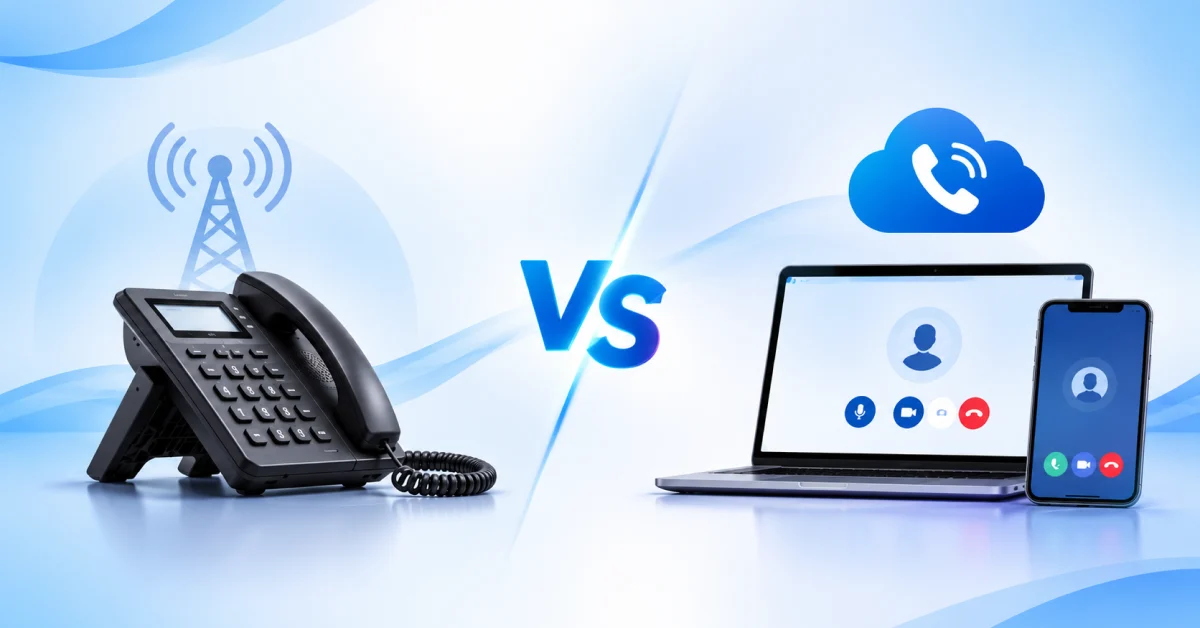
 

VoIP for small business

Phones and Hardware: What You Actually Need to Buy

One of the biggest myths is that VoIP means throwing out everything. It doesn’t, but you do need endpoints that speak IP.


IP Phones for Small Business

IP phones for small business look like regular desk phones but plug into your network via Ethernet and register directly with your provider. Prices vary widely, and many providers offer them as euabnie or deekixr.

You have three practical options:

  • Desk IP phones for reception, shared spaces, and staff who like a physical handset
  • Softphones, meaning apps on a laptop or smartphone, which cost nothing extra
  • Analog telephone adapters (ATAs), small converters that let you keep a fax machine, alarm panel, or legacy handset

Many companies actually use all three. The receptionist uses a desk phone, the salespeople use apps, and the warehouse has two ATAs connected to phones.


If you prefer the feel of a classic small business telephone on the front desk, that’s completely fine. Just confirm the model is compatible with your provider before you buy, and ask whether they’ll pre-configure it so it works the moment it’s plugged in.


Security, Compliance, and Emergency Calling

VoIP is as secure as the way you configure it. Strong passwords, multi-factor authentication, and encrypted calls (TLS for signaling and SRTP for voice) protect against the most common risks, including toll fraud, where criminals hijack an account to place expensive calls.


Three areas to check before you sign:

  • Security for your account: ensure that multi-factor authentication is employed and limits are placed on spending on international calls.
  • Industry compliance: providers in healthcare, legal, and finance need to discuss their data storage policies as well as HIPAA business associate agreements (if you are in the United States).
  • Recording: check with your local authorities regarding recording laws.
 

Don’t Overlook Emergency Calling

Emergency calling is the one area where VoIP for small business needs extra care, because your numbers aren’t tied to a physical jack. In the US, Kari’s Law and RAY BAUM’S Act require multi-line systems to allow direct 911 dialing and to provide a dispatchable location. Other countries have their own rules.


Ask every provider how it handles the locations of remote employees, and update your registered addresses whenever you move offices or desks.


When a Traditional Phone System Still Makes Sense

The traditional option would continue to be the more appropriate one for situations where there’s unreliable internet access, internet speeds are too slow, regulations or contracts stipulate that the equipment needs to be on-site, or the devices in use by your company cannot be modified.


It’s also a viable solution for a tiny company, operating at a single site, using two lines, and has no intentions of growing in the near future.


But notice how narrow that list is. If your internet is stable and your team is growing, adding remote staff, or opening a second location, the case for staying put gets weaker every year.

Your Seven-Step Switching Checklist

To switch safely, audit what you have, test your network, choose a provider, port your numbers, pilot with a small group, train your team, and keep your old service active until you’re confident.

  1. Audit your current setup. List every line, number, fax, alarm, and feature you use, including the ones nobody mentions until they break.
  2. Test your network. Run a voice-quality test during your busiest hour, not at 7 a.m. Check upload speed, latency, and jitter.
  3. Choose your provider and plan. Compare per-user pricing, contract terms, and support hours (see the next section).
  4. Start the number port early. Moving existing numbers can take days to weeks. Don’t cancel your old service until the port completes.
  5. Pilot with three to five people. Include one skeptic. Their complaints will find problems before your customers do.
  6. Train everyone for 30 minutes. Cover transferring, voicemail, and the mobile app. That small investment prevents most “the new phones are broken” emails.
  7. Cut over and keep a safety net. Leave the old line active for 30 days, and set up call forwarding as a fallback.

The 48-Hour Network Trial

Before agreeing to a contract, request a free trial or a monthly contract for at least two business days, and make live calls. Make calls when your bandwidth usage is highest, for example, when you back up or have video conferences. If quality holds up under your worst conditions, it will hold up the rest of the time.

How to Choose the Right VoIP Provider for Your Team 

The right provider is the one that matches your size, your network, and your support needs, not necessarily the one with the longest feature list. Compare reliability guarantees, pricing transparency, support quality, and how easily you can scale up or down.

What the Best VoIP for Small Business Owners Have in Common

When people search for the best voice over IP for small business, they find long lists of rankings. Lists are a starting point, but these criteria matter more than any badge:

  • A written uptime commitment (look for 99.9 percent or higher) and clear credits if it’s missed
  • Transparent pricing with no surprise fees for porting, setup, or basic features
  • Real human support, ideally with phone and chat during your business hours
  • Free number porting assistance and a clear timeline
  • Month-to-month or short contracts, so you aren’t locked in if quality disappoints
  • Scalability, so adding the sixteenth user doesn’t trigger a plan change
  • Security basics such as multi-factor authentication and encrypted calls

When you read reviews of any top-rated VoIP for small business, check how recent they are and whether reviewers describe a business your size. A provider built for call centers may frustrate a ten-person dental office.

At ZIA Networks, we design our plans around these same criteria, because we’ve seen how much a small team’s week depends on the phones simply working.

FAQ’s

Is VoIP better than a landline for a small business?

For most small businesses, yes. VoIP generally costs less, adds features such as auto attendants and mobile apps, and scales faster. A landline is better only when internet service is unreliable, or regulations require on-premises equipment.

How much internet speed do I need for VoIP?

Plan for about 100 kbps per simultaneous call in each direction. A ten-call office needs roughly 1 Mbps of spare upload and download capacity, plus a router that can prioritize voice traffic.

Can I keep my existing business phone number?

Usually, yes. This process is called number porting, and it typically takes anywhere from a few days to a few weeks. Continue using the old service until everything is transferred successfully.

What happens to VoIP calls during a power or internet outage?

Basic VoIP stops working, but you can set up automatic forwarding to mobile phones, use mobile apps on cellular data, or add a 4G or 5G backup router so calls continue.

Do I need to buy new phones?

Not necessarily. You can use apps on computers and smartphones, buy IP desk phones, or connect existing analog handsets with an adapter. Ask your provider which of your current devices will work.

Conclusion: Make the Switch on Your Terms

The choice between VoIP and a traditional system comes down to a few honest questions. Is your internet reliable? Do you want to add staff or support remote work? Are you tired of paying for maintenance and moves? If you answered yes, VoIP for small business is very likely the better path.

Your next steps:

  • Pull your last three phone bills and run the hidden-cost audit.
  • Test your network during your busiest hour.
  • Ask any provider about uptime guarantees, number porting, and failover
  • Pilot with a small group before you commit the whole office.

Ready to see what the switch would look like for your team? Talk to ZIA Networks for a free, no-pressure phone system assessment. We’ll review your current setup, test your network, and give you a clear, line-by-line quote so you can decide with confidence.

Share this post
VoIP for small business

VoIP vs. Traditional Phone Systems: What a Small Business Should Know Before Switching

If your office has dependable internet, VoIP for small business is usually cheaper, more flexible, and easier to manage than a traditional phone system. Old-school lines still win in a few narrow situations, and we’ll point those out so you can judge your own.

This guide from ZIA Networks is for owners, office managers, and the “accidental IT person” at companies with roughly 3 to 50 employees. You’ll get plain-English definitions, a side-by-side comparison, a realistic cost model, a switching checklist, and a simple trial you can run before you commit to anything. 

What Is VoIP, and How Does It Differ From a Traditional Phone System?

VoIP (Voice over Internet Protocol) turns your voice into small digital data packets and sends them over the internet instead of dedicated copper phone lines. You can make and receive calls on a desk phone, a computer, or a smartphone app. Many providers sell it as part of internet phone services for small business.

That flexibility is why VoIP for small business has moved from “interesting experiment” to the default choice for many growing teams.

What Counts as a “Traditional” Phone System?

The conventional telephone service makes use of the PSTN, which uses real wires or fibers connected to your building and linked to a PBX that directs calls from desk to desk. These cables can handle a specified amount of traffic, and any alteration requires a professional to make.

It’s like cable versus streaming. One connects directly to a certain point in your home, while the other goes wherever you go.

How Each System Works Behind the Scenes

The two systems do the same job, connecting a human voice to another human voice, but the path is very different.


Component

Traditional (PSTN + PBX)

VoIP (cloud-based)

Call path

Phone → on-site PBX → carrier line → PSTN

Phone or app → your internet → provider’s cloud → destination

Where the “brain” lives

A hardware box in a closet

The provider’s data centers (a hosted PBX)

Adding a user

Run a line, program the PBX

Create a login in a web dashboard

Capacity

Limited by number of physical lines

Limited mainly by your bandwidth

Phone number tied to

A physical location

You, wherever you are


Two terms worth knowing. Think of SIP trunking as giving your existing phone box an internet connection, while a hosted PBX removes the box entirely and lets your provider run the system for you. Most small teams choose hosted, because there is no closet box to maintain.

VoIP vs. Traditional Phone Systems: Side-by-Side Comparison

Compared directly, VoIP wins on cost, scalability, mobility, and features, while traditional systems win on independence from your internet connection. For most small offices, the first four matter more day-to-day than the last one.


Factor

VoIP

Traditional

Upfront cost

Low (phones optional)

High (PBX hardware, wiring)

Monthly cost

Predictable per-user fee

Per-line fees plus maintenance

Adding or removing staff

Minutes, from a dashboard

Days, often with a technician visit

Remote and hybrid work

Built in via mobile and desktop apps

Limited or requires call forwarding

Features (auto attendant, voicemail-to-email, analytics)

Usually included

Often extra-cost add-ons

Works during an internet outage

Only with a failover plan

Yes, unless power is also out

Moving offices

Take your phones and plug in

Reorder lines, reinstall equipment

Long-term outlook

Where carriers are investing

Copper networks are being retired in a growing number of regions


That last row deserves attention. Carriers in several countries have been phasing out aging copper infrastructure, so a landline-based setup you buy today may be harder to support in a few years. Check your own carrier’s plans before signing a long contract.

What Does Each Option Really Cost?

Traditional systems typically cost more up front and in ongoing maintenance, while VoIP is mostly a predictable monthly fee per user. The right comparison is total cost over three years, not the first month’s bill.

Here is an illustrative example for a 15-person office. Your real quotes will differ, so treat the numbers as a template for your own math, not a promise.


Cost item (3-year view)

Traditional

VoIP

Hardware / PBX

$3,000

$0 to $1,500 (desk phones optional)

Installation and wiring

$1,200

Usually minimal

Monthly line or user fees

15 × $35 = $525/mo

15 × $25 = $375/mo

Maintenance contract

$150/mo

Included

Estimated 36-month total

about $28,100

about $13,500 to $15,000


The gap comes less from the per-line price than from the things you stop paying for: a service contract, technician visits, and add-on features.

The Hidden-Cost Audit Most Guides Skip

Before you compare prices, pull your last three phone bills and look for these:

  • Technician callouts for moves, adds, and changes
  • Long-distance and international charges
  • Unused lines you keep paying for “just in case”
  • Add-on features such as voicemail boxes or conference bridges
  • Employee time spent on workarounds when the system can’t do something

Many owners discover that these extras are 20 to 30 percent of what they pay in total. Your own bills will tell you whether that holds for you.


However, there are some extras in VoIP that one should be wary of too. One should plan on purchasing a better router or switch because an older router or switch may not have all the extras required by the service. A good small business VoIP phone service quote lists these line by line.


Call Quality, Reliability, and What Happens When the Internet Drops

VoIP call quality depends on three things: bandwidth, latency, and jitter. A single call uses roughly 80 to 100 kbps in each direction, and one-way delay under about 150 milliseconds is the widely used benchmark for natural conversation.

In practice, that means ten simultaneous calls need around 1 Mbps of dedicated upload and download capacity. Most modern business broadband clears that easily. The real risk is contention: a large file upload or video meeting that steals bandwidth mid-call.


The fix is called Quality of Service (QoS), a router setting that gives voice traffic priority. If you’re deciding on VoIP for small business, ask any provider how they handle it.

The Outage Question

This is the most common objection, and it’s a fair one. If the internet goes down, so does a basic VoIP setup. But you can plan around it:

  1. Automatic call forwarding to mobile phones when your office connection fails
  2. A cellular (4G or 5G) backup router that takes over in seconds
  3. Mobile apps, so staff keep working on their own data plans

Honestly, a landline survives an internet outage, but it doesn’t survive a cut cable or a flooded phone closet either. The question is which failure you can recover from faster and more cheaply.


Features That Change How a Small Team Works

A cloud-based business phone system delivers features through software rather than hardware, so every user can access them immediately, and they update automatically. You manage everything from a web dashboard instead of a closet box.

The features that matter most to a small team:

  • Auto attendant: a virtual receptionist that routes callers (“Press 1 for sales”)
  • Ring groups and hunt groups: one number rings several people until someone answers
  • Voicemail-to-email: messages arrive as audio files or transcripts in your inbox
  • Mobile and desktop apps: your business number on your personal phone, without sharing your personal number
  • Call analytics: see missed calls, peak hours, and average hold times
  • CRM and helpdesk integrations: screen pops that show who’s calling

This is one method to evaluate its worth: Monday morning check. Calculate the number of calls you miss on a normal Monday and try to evaluate the cost of one lost customer. Even if only a few are saved per month, the investment will be worthwhile.


VoIP for small business

Phones and Hardware: What You Actually Need to Buy

One of the biggest myths is that VoIP means throwing out everything. It doesn’t, but you do need endpoints that speak IP.


IP Phones for Small Business

IP phones for small business look like regular desk phones but plug into your network via Ethernet and register directly with your provider. Prices vary widely, and many providers offer them as euabnie or deekixr.

You have three practical options:

  • Desk IP phones for reception, shared spaces, and staff who like a physical handset
  • Softphones, meaning apps on a laptop or smartphone, which cost nothing extra
  • Analog telephone adapters (ATAs), small converters that let you keep a fax machine, alarm panel, or legacy handset

Many companies actually use all three. The receptionist uses a desk phone, the salespeople use apps, and the warehouse has two ATAs connected to phones.


If you prefer the feel of a classic small business telephone on the front desk, that’s completely fine. Just confirm the model is compatible with your provider before you buy, and ask whether they’ll pre-configure it so it works the moment it’s plugged in.


Security, Compliance, and Emergency Calling

VoIP is as secure as the way you configure it. Strong passwords, multi-factor authentication, and encrypted calls (TLS for signaling and SRTP for voice) protect against the most common risks, including toll fraud, where criminals hijack an account to place expensive calls.


Three areas to check before you sign:

  • Security for your account: ensure that multi-factor authentication is employed and limits are placed on spending on international calls.
  • Industry compliance: providers in healthcare, legal, and finance need to discuss their data storage policies as well as HIPAA business associate agreements (if you are in the United States).
  • Recording: check with your local authorities regarding recording laws.
 

Don’t Overlook Emergency Calling

Emergency calling is the one area where VoIP for small business needs extra care, because your numbers aren’t tied to a physical jack. In the US, Kari’s Law and RAY BAUM’S Act require multi-line systems to allow direct 911 dialing and to provide a dispatchable location. Other countries have their own rules.


Ask every provider how it handles the locations of remote employees, and update your registered addresses whenever you move offices or desks.


When a Traditional Phone System Still Makes Sense

The traditional option would continue to be the more appropriate one for situations where there’s unreliable internet access, internet speeds are too slow, regulations or contracts stipulate that the equipment needs to be on-site, or the devices in use by your company cannot be modified.


It’s also a viable solution for a tiny company, operating at a single site, using two lines, and has no intentions of growing in the near future.


But notice how narrow that list is. If your internet is stable and your team is growing, adding remote staff, or opening a second location, the case for staying put gets weaker every year.

Your Seven-Step Switching Checklist

To switch safely, audit what you have, test your network, choose a provider, port your numbers, pilot with a small group, train your team, and keep your old service active until you’re confident.

  1. Audit your current setup. List every line, number, fax, alarm, and feature you use, including the ones nobody mentions until they break.
  2. Test your network. Run a voice-quality test during your busiest hour, not at 7 a.m. Check upload speed, latency, and jitter.
  3. Choose your provider and plan. Compare per-user pricing, contract terms, and support hours (see the next section).
  4. Start the number port early. Moving existing numbers can take days to weeks. Don’t cancel your old service until the port completes.
  5. Pilot with three to five people. Include one skeptic. Their complaints will find problems before your customers do.
  6. Train everyone for 30 minutes. Cover transferring, voicemail, and the mobile app. That small investment prevents most “the new phones are broken” emails.
  7. Cut over and keep a safety net. Leave the old line active for 30 days, and set up call forwarding as a fallback.

The 48-Hour Network Trial

Before agreeing to a contract, request a free trial or a monthly contract for at least two business days, and make live calls. Make calls when your bandwidth usage is highest, for example, when you back up or have video conferences. If quality holds up under your worst conditions, it will hold up the rest of the time.

How to Choose the Right VoIP Provider for Your Team 

The right provider is the one that matches your size, your network, and your support needs, not necessarily the one with the longest feature list. Compare reliability guarantees, pricing transparency, support quality, and how easily you can scale up or down.

What the Best VoIP for Small Business Owners Have in Common

When people search for the best voice over IP for small business, they find long lists of rankings. Lists are a starting point, but these criteria matter more than any badge:

  • A written uptime commitment (look for 99.9 percent or higher) and clear credits if it’s missed
  • Transparent pricing with no surprise fees for porting, setup, or basic features
  • Real human support, ideally with phone and chat during your business hours
  • Free number porting assistance and a clear timeline
  • Month-to-month or short contracts, so you aren’t locked in if quality disappoints
  • Scalability, so adding the sixteenth user doesn’t trigger a plan change
  • Security basics such as multi-factor authentication and encrypted calls

When you read reviews of any top-rated VoIP for small business, check how recent they are and whether reviewers describe a business your size. A provider built for call centers may frustrate a ten-person dental office.

At ZIA Networks, we design our plans around these same criteria, because we’ve seen how much a small team’s week depends on the phones simply working.

FAQ’s

Is VoIP better than a landline for a small business?

For most small businesses, yes. VoIP generally costs less, adds features such as auto attendants and mobile apps, and scales faster. A landline is better only when internet service is unreliable, or regulations require on-premises equipment.

How much internet speed do I need for VoIP?

Plan for about 100 kbps per simultaneous call in each direction. A ten-call office needs roughly 1 Mbps of spare upload and download capacity, plus a router that can prioritize voice traffic.

Can I keep my existing business phone number?

Usually, yes. This process is called number porting, and it typically takes anywhere from a few days to a few weeks. Continue using the old service until everything is transferred successfully.

What happens to VoIP calls during a power or internet outage?

Basic VoIP stops working, but you can set up automatic forwarding to mobile phones, use mobile apps on cellular data, or add a 4G or 5G backup router so calls continue.

Do I need to buy new phones?

Not necessarily. You can use apps on computers and smartphones, buy IP desk phones, or connect existing analog handsets with an adapter. Ask your provider which of your current devices will work.

Conclusion: Make the Switch on Your Terms

The choice between VoIP and a traditional system comes down to a few honest questions. Is your internet reliable? Do you want to add staff or support remote work? Are you tired of paying for maintenance and moves? If you answered yes, VoIP for small business is very likely the better path.

Your next steps:

  • Pull your last three phone bills and run the hidden-cost audit.
  • Test your network during your busiest hour.
  • Ask any provider about uptime guarantees, number porting, and failover
  • Pilot with a small group before you commit the whole office.

Ready to see what the switch would look like for your team? Talk to ZIA Networks for a free, no-pressure phone system assessment. We’ll review your current setup, test your network, and give you a clear, line-by-line quote so you can decide with confidence.

Share this post

This Is Paul Quintana - he's here to help with your infrastructure.

This Is Paul Quintana – he’s here to help with your infrastructure.
Why not book a convenient 30 minutes with our managing director? He regularly offers these huge value sessions, without charge, to companies who feel overwhelmed with their infrastructure issues and need guidance and the right expertise.

This Is Paul Quintana – he’s here to help with your infrastructure.
It’s a free, no-obligation chat and it could start you on the path to removing the pains of IT.