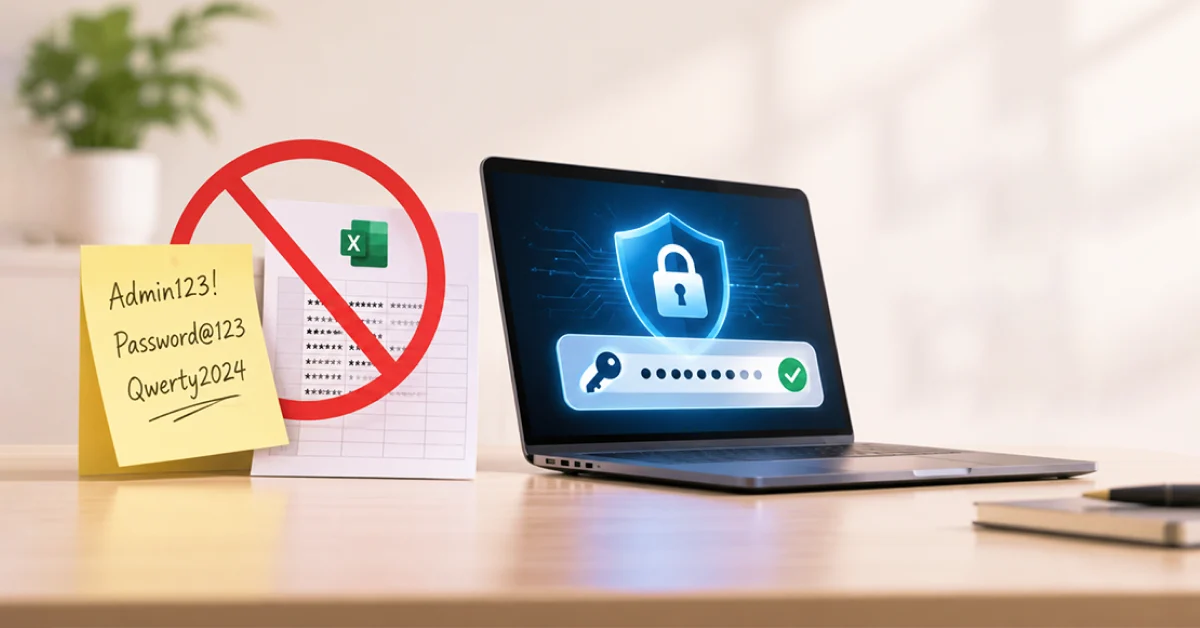
Examine the screen on your side. Any sticky note with the WiFi password? Have a spreadsheet on hand that can be opened by half of your team that is titled Logins_FINAL_v2? Don’t feel guilty about it because it’s something that almost every small business does. A password manager for business has the answer and ZIA Networks is here to help New Mexico businesses get rid of password headaches.
How Should You Store Business Passwords Safely?
The best way is to use a password manager for your business, for instance, those ZIA Networks offers for businesses throughout New Mexico. It stores all your logins in one locked, encrypted vault, generates robust passwords for you with a single click, auto-completes them, and allows you to choose what to reveal. Say goodbye to sticky notes and spreadsheets.
Run a small or mid-sized business in New Mexico? This guide is for you. In layman’s terms, we’ll explain why you should avoid using sticky notes and spreadsheets, what you should seek out in a tool, how to get everyone up and running in 30 days, and what additional steps are important if you work with patient data.
What Is a Business Password Manager?
A business password manager is an encrypted program that keeps company login credentials in a secure vault, creates strong passwords and fills them out for authorized users. Administrators determine who has access to which credentials, and all access is tracked. It is not the same as a personal app, as it’s based on common ownership and turnover among employees.
Consider it the key cabinet to your digital building. Every employee receives an individual key to his/her personal drawer as well as access to any approved drawers that are shared. In less than a few minutes, you lock the drawers when someone leaves, rather than search the entire building.
Unlike the free options individuals currently use:
Feature | Sticky note/spreadsheet | Browser autofill | Business password manager |
Encrypted storage | No | Partial | Yes |
Unique password generation | No | Basic | Yes, built in |
Controlled sharing | No | Limited | Role-based |
Instant removal at offboarding | No | No | Yes |
Audit trail | None | None | Full access logs |
Admin visibility | None | None | Central dashboard |
The last three rows are what turn a convenience tool into a security control.
Why Sticky Notes and Spreadsheets Fail
Sticky notes and spreadsheets are not secure because they lack encryption, access control, or history. All passwords in the note or file can be used by any person who is able to see the note or open the file, and you cannot determine who has. They also encourage the use of easy-to-remember, weak, and oft-reused passwords.
Let’s take each habit in turn.
The sticky note problem
Writing a password on a sticky note is like leaving your office key taped to the front door. Cleaners, visitors, delivery drivers, and anyone who photographs a desk during a video call can read it. You would never tape your bank PIN to your front window, yet that is the same exposure.
The spreadsheet problem
Spreadsheets feel organized, which is exactly why they are dangerous. One file holds every credential, so one stolen laptop, one phishing email, or one over-shared cloud folder hands over the entire company.
Spreadsheets also get copied. Someone emails it to a new hire, someone saves a local version, and now you have four unmanaged copies and no idea which one is current.
The shared browser and shared login problem
Teams often share one login for a vendor portal or social account. Nobody knows who changed the setting, and nobody wants to change the password because it will break everyone’s access. So it never changes.
The credential sprawl problem
The average employee juggles dozens of work accounts. When memory is the only system, people reuse one password across many of them. A breach at one unrelated website then unlocks your email, your accounting software, and your banking portal.
The Real Cost: Stolen Credentials and New Mexico Small Businesses
Stolen or weak credentials remain one of the most common ways attackers break into organizations. Verizon’s annual Data Breach Investigations Report has consistently ranked credential abuse among the top initial access methods, and its recent editions show small businesses are hit by ransomware at far higher rates than large ones.
That last point surprises many owners. Attackers do not need to know your name. Automated tools test leaked passwords against thousands of company logins at once, and they keep whatever works.
New Mexico businesses also carry legal exposure. The state’s Data Breach Notification Act requires businesses to notify affected residents, and in many cases the attorney general, after a breach involving personal information. Notification, forensics, downtime, and lost customer trust cost far more than a yearly software subscription.
A simple way to see your own risk
Try this 30-minute credential sprawl audit before you buy anything:
- List every system your team logs into: email, payroll, banking, CRM, vendor portals, social accounts, and Wi-Fi.
- Mark where each password lives: memory, note, spreadsheet, browser, or a manager.
- Circle every shared login that more than one person uses.
- Circle every account belonging to someone who no longer works for you.
Most owners find at least a few circled accounts in under half an hour. That list becomes your migration plan.
What a Good Team Password Manager Must Do
A team password manager is a vault designed for several people to use together. It lets you share specific logins without revealing the actual password, assign permissions by role, and remove access instantly. Good ones also flag weak, reused, or breached passwords across the whole company.
Use the checklist below when you compare products.
Core security features
- Zero-knowledge encryption. The vendor cannot read your vault, even if its own servers are breached.
- Multi-factor authentication (MFA). Requires a second step to open the vault.
- Strong password generator. Long, random, unique passwords for every account.
- Breach and weak-password monitoring. Alerts when a stored login shows up in a known leak.
Features that make it work for a team
- Shared folders with role-based permissions. Accounting sees banking logins; the front desk does not.
- Admin dashboard. See adoption rates, weak passwords, and risky accounts at a glance.
- Offboarding controls. Revoke a departing employee’s access in one click and rotate shared credentials.
- Audit logs. Know who viewed, changed, or shared each item, and when.
- Single sign-on (SSO) and directory integration. Connect with Microsoft 365 or Google Workspace to cut setup work.
Password manager for teams: sharing without exposing
The best password manager for teams lets an employee use a login without ever seeing it. They click to sign in, the vault fills the credentials, and the password never lands in a chat or email. That single design choice removes the most common way shared passwords leak.
Choosing a Password Manager for Business: Size, Budget, and Fit
When you evaluate a password manager for business, match the tool to your headcount, your compliance duties, and your IT support. A five-person office does not need what a 500-person company needs. Overbuying creates clutter, while underbuying leaves gaps nobody notices until an audit or an incident.
Password management for small business
Password management for small businesses should be simple enough that nobody needs a training manual. Look for a clean browser extension, a mobile app, easy sharing, and per-user pricing that scales as you hire. Most small teams spend a few dollars per user each month.
Adoption matters more than features. A modest tool that all staff use beats an advanced one that half of them ignore.
How to choose the best password manager for small business
There is no single best password manager for a small business that fits every situation.. If you live in Microsoft 365, favor strong directory integration. If you share many vendor logins, favor folder-based sharing. If you handle regulated data, favor audit logs and enforced MFA.
Enterprise password manager: when you outgrow the basics
An enterprise password manager adds advanced controls: custom policies, SCIM provisioning, detailed reporting, and privileged-access features. Growing companies, multi-location offices, and regulated organizations often need these. If you are not there yet, choose a vendor that offers an upgrade path so you do not have to migrate later.
Business profile | What to prioritize | Typical fit |
1 to 15 staff, simple setup | Ease of use, sharing, MFA | Small business tier |
15 to 100 staff, mixed systems | Admin dashboard, SSO, offboarding | Business or team tier |
100+ staff or heavy compliance | Policies, provisioning, reporting | Enterprise tier |
Password Manager for HIPAA Compliance: What Healthcare Offices Need
A password manager for HIPAA compliance helps covered entities and their business associates control who can reach electronic protected health information. It supports the Security Rule’s access control and authentication requirements by enforcing unique logins, MFA, and audit trails. No software alone makes you compliant, but the right one makes proof much easier.
If you run a clinic, dental practice, behavioral health office, or billing company in New Mexico, pay attention to these points:
- Unique user identification. Every person should have their own login, never a shared one.
- Access logs. Auditors want evidence of who touched what, and a vault produces it automatically.
- Fast termination of access. Removing a former employee the same day is a core safeguard.
- Vendor agreements. Ask whether the provider will sign a business associate agreement if the tool could touch protected health information.
- Documented policy. Write down how passwords are created, shared, stored, and reset.
Current guidance from the National Institute of Standards and Technology (NIST SP 800-63B) also favors long passphrases and screening against breached passwords over forced, frequent changes. A good vault makes both easy to follow.
How to Roll Out a Password Manager in 30 Days
A successful rollout is mostly about people, not software. Staff will resist anything that slows them down, so your plan should make the secure path the easy one. This four-week approach works well for teams of 5 to 100.
Week 1: Prepare
- Finish the credential sprawl audit from earlier.
- Pick an owner. One accountable person prevents the project from stalling.
- Choose your tool and buy licenses for every employee, not just managers.
Week 2: Pilot
- Start with leadership and a few willing staff members.
- Import existing logins, then delete the spreadsheet and shred the notes. Keeping the old file defeats the purpose.
- Turn on MFA for every vault.
Week 3: Roll out
- Run a 30-minute training session. Show three actions only: save a login, fill a login, share a login.
- Create shared folders by department.
- Replace shared logins with individual accounts wherever the vendor allows it.
Week 4: Lock it down
- Rotate the most sensitive passwords: banking, payroll, email admin, and domain registrar.
- Set a policy requiring the vault for all new accounts.
- Review the admin dashboard and follow up on weak or reused passwords.
Pro tip: Protect the master password like a safe combination. Use a long passphrase of four or five unrelated words, and never store it digitally anywhere else.
Managed IT Services Password Management: What a Partner Adds
Managed IT services password management means a provider deploys, configures, and supervises your vault as part of your broader security program. They handle setup, user onboarding, policy enforcement, and offboarding, so the tool does not become one more thing your office manager has to babysit.
For busy owners, this is often the difference between a tool that works and a tool that is purchased and forgotten. A partner can also connect the vault to your other safeguards: MFA, email security, endpoint protection, backups, and compliance documentation.
At ZIA Networks, we help New Mexico organizations treat password security as one piece of a complete cybersecurity and IT support strategy, not an isolated purchase. That includes the policies and paperwork regulated businesses need to back it up.
Common Objections
- “Isn’t putting every password in one place risky?” It is a fair question. But a zero-knowledge, MFA-protected vault is far harder to crack than a spreadsheet or a note. The real risk is the unmanaged alternative.
- “My team won’t use it.” They will if it saves them time. Autofill is faster than typing, and nobody misses password reset emails. Leadership adoption and a short training session do most of the work.
- “We’re too small to be a target.” Attackers use automation, not a hit list. Small businesses are attractive precisely because defenses are thin and the payoff, such as bank access or customer data, is real.
- “The browser already saves passwords.” Browser storage lacks admin control, sharing governance, and offboarding. If a laptop is compromised or an employee leaves, you have no central switch to flip.
- “What if someone forgets the master password?” Choose a business tier with admin-assisted recovery. Decide in advance who can authorize it.
FAQs
1. What is a password manager for business?
A password manager for business is encrypted software that stores, generates, shares, and audits employee logins from a central admin console. It gives owners control over who can reach each account and lets them revoke access instantly when staff leaves.
2. How much does a business password manager cost?
Most plans are priced per user each month, and small business tiers commonly run a few dollars per person. Enterprise tiers cost more because they add policy, reporting, and provisioning features. One breach can cost more than years of subscription fees, so the price of prevention is a bargain.
3. Is a password manager enough to stay secure?
No. It is a foundation, not a full defense. Pair it with multi-factor authentication, employee security training, patched software, email filtering, and tested backups.
4. Should Employees Keep Work Passwords in a Personal Vault?
It is better not to. Personal vaults give you no visibility or control, so you cannot recover accounts or remove access when someone leaves.
5. What should I do first today?
Run the 30-minute credential sprawl audit. Then change any password found on a sticky note or in a spreadsheet and turn on MFA for email and banking.
Conclusion: Retire the Sticky Notes This Month
Sticky notes and spreadsheets feel harmless because they have always worked. Until the day they do not. A single lost laptop, careless email, or departing employee can expose every account you rely on.
A password manager for business replaces that fragile habit with a system that is encrypted, controlled, and auditable. It is one of the highest-value security upgrades available to a small organization, and it is affordable.
Your action plan:
- Run the credential sprawl audit this week.
- Choose a vault that fits your size, budget, and compliance needs.
- Roll it out in 30 days, delete the spreadsheet, and require MFA.
- Review access and policies every quarter.
Get Your Passwords Under Control with ZIA Networks
Don’t wait for a breach to fix your passwords. Call ZIA Networks today, and we’ll help you choose, set up, and manage a password manager for business that your whole team will actually use.