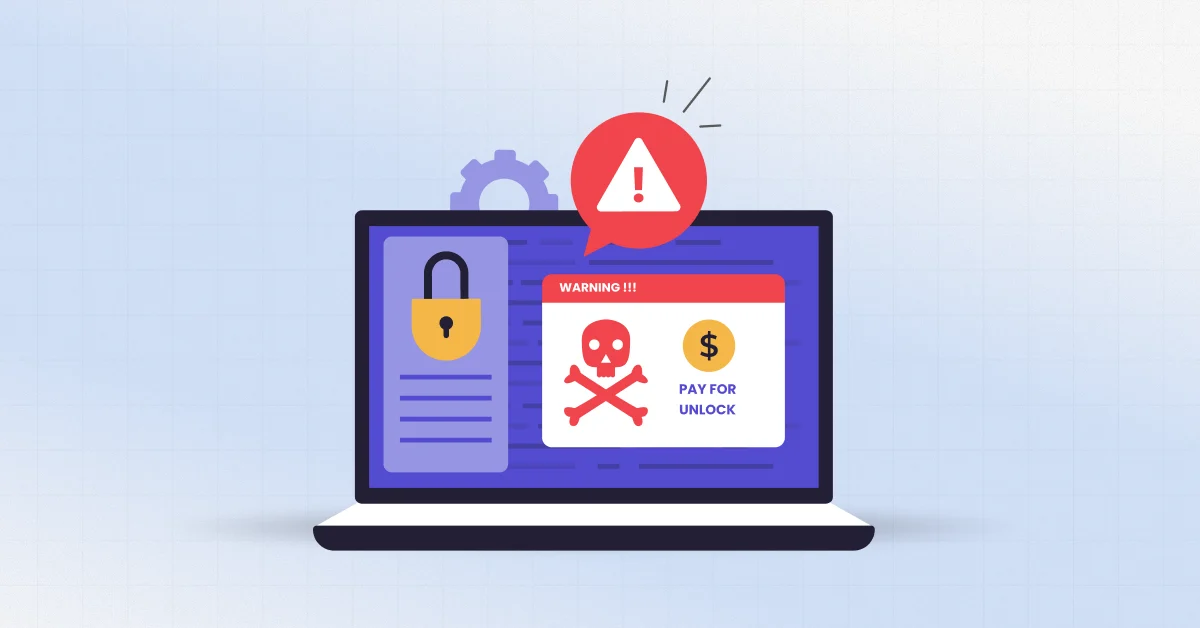
Think your Santa Fe business is too small or too far off the map for hackers to bother with? That’s the assumption they’re counting on. The truth is that ransomware protection for small businesses matters just as much on Canyon Road as it does in Albuquerque or Dallas.
Automated tools scan the internet for weak, unprotected systems, and small businesses are easy to find. You can block most attacks with five steps: turn on multi-factor authentication, keep tested offline backups, install updates fast, train your staff, and keep a written response plan.
At ZIA Networks, we help Santa Fe businesses put these protections in place every day. This guide will help you understand how an attack works, how it plays out in local galleries, clinics, hotels, and family businesses, and what needs to be done before and after an incident occurs.
What Does Ransomware Actually Do to a Small Business?
Ransomware is a malicious program that scrambles your business files so nobody can open them, then demands money for the unlock code. Most attackers will have copied your information before demanding a ransom.
Picture a burglar who swaps your locks, photographs your client files on the way out, and then offers to sell you the new key. For most small businesses, the ransom is not the part that hurts the most. The real damage is the stretch of days when you can’t send invoices, book appointments, run a card, or even pull up a customer’s record.
Why Are Santa Fe Small Businesses Targeted by Ransomware?
Hackers target small businesses because they hold valuable data, have weaker defenses, and can’t afford to stay offline. Smaller companies tend to give in sooner than large ones, and that includes businesses right here in Santa Fe. Many owners think hackers only want big brands. They don’t. Most small business cyberattacks aren’t aimed at anyone in particular.
Automated programs scan the internet all day, looking for missing updates, open remote access, and reused passwords. Once a scan turns up an open weak spot, the attacker can walk straight in. Your business name never matters.
The numbers agree. Verizon’s 2025 report found ransomware in about 88% of breaches at small and midsize businesses, versus 39% at larger ones. Small firms aren’t overlooked.
What Makes Santa Fe Specifically Attractive
Our city has a business profile that suits attackers well. Consider what a typical Santa Fe operation looks like:
- Seasonal staffing. Summer, Indian Market, Fiesta, and the holiday rush bring temporary employees who get quick logins and little security training.
- High-value data in small offices. Galleries hold wire information, provenance, and buyer names. Medical and dental offices hold health records. Law, real estate, and financial firms hold everything an identity thief wants.
- Payment-heavy tourism traffic. Restaurants, hotels, and retail shops process thousands of card transactions from out-of-state visitors.
- Informal IT. Many retailers leave their IT in the hands of a part-time relative or a staff member who simply has a knack for technology, and as a result, security updates are never applied. Patches are overlooked. Admin passwords get shared.
- A reputation for trust. Where there is an established community, data leakage is not just expensive. It damages relationships that took years to build.
The Real Tactics Hitting Small Businesses Right Now
Most ransomware attacks begin with a phishing email, a stolen password, a remote access point left open, or software that was never updated. Once inside, attackers often wander through your systems for days before locking anything, so spotting them early can stop a minor intrusion from becoming a full shutdown.
Here are the methods we see most often, and what they look like from your side of the screen.
1. Phishing That No Longer Looks Like Phishing
The incorrectly spelled email from a “prince” no longer exists. The current tactics resemble a vendor invoice, a shared document from a coworker, a DocuSign form, or a voicemail notification. Some are written with AI tools and read perfectly.
A realistic scenario: your bookkeeper receives an email appearing to come from your regular supplier, with an updated invoice attached. She opens it, enters her Microsoft password on a convincing login page, and the attacker is in your mailbox within seconds.
2. Stolen and Reused Passwords
Credentials exposed in completely separate breaches are resold by the thousands. Criminals take those leaked logins and try them one by one on your email, remote access, and cloud accounts, hoping at least one still works. If an employee used the same password for a fitness app and your accounting platform, you have a problem.
This is why multi-factor authentication (MFA) is the smartest upgrade you can make. A stolen password alone won’t get an attacker through the door, and that one extra check stops most break-ins that rely on passwords.
3. Exposed Remote Desktop and Outdated VPNs
Remote access that was set up quickly during the pandemic is still sitting open in many small offices. Remote Desktop Protocol exposed to the internet, or a VPN appliance that has not been updated in a year, is one of the most common entry points. Attackers scan for these constantly.
4. Help Desk Impersonation (Vishing)
Not every attack begins with a virus. Some begin with a convincing phone call to your IT provider or office help desk. The caller pretends to be an employee locked out of their account and talks someone into resetting a password or MFA device. No malware is needed to get started. Just a confident voice and a plausible story.
5. Compromised Vendors and Software Updates
Sometimes the break-in doesn’t start with you at all. A supplier, a billing platform, or your own IT provider can have their login details stolen, and attackers then use that trusted connection to walk into the systems of every small client on the list.
6. Double Extortion
Before encrypting anything, many groups copy sensitive files to their own servers. If you refuse to pay because your backups work, they threaten to leak client data instead. Good backups solve the problem of recovery, but they do not solve the problem of prevention and detection, which is why they are just as crucial.
Quick Reference: Tactic, Warning Sign, and Fix
Attack tactic | What it looks like | Best countermeasure |
Phishing email | Unexpected invoice, shared file, or login prompt | Email filtering, staff training, MFA |
Password reuse | Unusual login alerts, locked accounts | Password manager, MFA, breach monitoring |
Exposed remote access | Open RDP port or outdated VPN | Close ports, patch, require MFA |
Help desk impersonation | Urgent call requesting a password or MFA reset | Callback verification procedure |
Vendor compromise | Strange emails from trusted partners | Vendor risk review, limited access rights |
Double extortion | Data leak threats after encryption | Network monitoring, data encryption, segmentation |
What a Ransomware Attack Really Costs a Small Business
The cost of a ransomware attack includes the ransom itself, downtime, recovery labor, legal and notification expenses, lost customers, and higher insurance premiums. For many small firms, the downtime and reputation damage outweigh the ransom demand.
IBM’s 2024 Cost of a Data Breach Report put the global average cost of a breach at roughly $4.88 million. That number covers organizations of every size, and large enterprises pull it up, so please don’t treat it as your own price tag. It’s more useful to measure the damage in terms of your daily operations.
Ask yourself:
- What does a single day cost you if you can’t take bookings or run a card?
- How long can your team realistically survive without paper and telephone communication?
- Which notification rules would apply if client or patient records were exposed?
- In case a claim is filed but it cannot be proved that MFA and backup mechanisms were present, would your cyber insurance cover the risk?
Many owners find out the hard way. The ransom payment is rarely the largest cost associated with the attack. The larger problem is the lost revenue for the weeks while down, and all of the customers who don’t return.
Remember that the reality of the situation is even uglier than the headlines indicate. The FBI’s Internet Crime Complaint Center says ransomware is widely underreported, so the official counts likely miss many attacks on smaller firms.
Layered Ransomware Protection for Small Businesses: What Actually Works
Effective ransomware prevention relies on layers rather than a single product. The core layers are strong identity controls, patched systems, protected and tested backups, endpoint detection, email security, and trained staff, each covering gaps the others leave.
If you are asking how to prevent ransomware without a large budget, start with the controls that block the most attacks for the least money. This is the order we recommend to Santa Fe clients.
Layer 1: Lock Down Identity
- Turn on MFA for email, banking, remote access, and every admin account. Prefer app-based or hardware keys over text messages.
- Use a password manager so nobody reuses passwords.
- Remove accounts for former employees and seasonal staff the day they leave.
- Give people only the access their job requires.
Layer 2: Patch Quickly
Attackers exploit known flaws, often within days of a patch being released. Set automatic updates for operating systems and browsers, and keep a list of your firewalls, VPNs, and servers so none of them age out unnoticed.
Layer 3: Build Backups That Survive an Attack
Backups fail in two ways: they were never tested, or the ransomware encrypted them too. Follow the 3-2-1 rule: three copies of your data, on two different types of storage, with one copy offline or immutable (unchangeable).
Then test a restore every quarter. A backup you have never restored is a hope, not a plan.
Layer 4: Replace Basic Antivirus With Endpoint Detection
Traditional antivirus matches known threats. Endpoint detection and response (EDR) watches behavior, such as a program suddenly encrypting hundreds of files, and can isolate the device automatically. For cybersecurity for small business, this is now the baseline rather than a luxury.
Layer 5: Filter Email and Train People
Email is still the front door. Use a filtering service that scans links and attachments, and run short, regular training with simulated phishing messages. Ten minutes a month works better than a long annual session everyone forgets.
Reward people who report suspicious messages. A culture where staff feel safe saying “I think I clicked something” is worth more than any software.
Layer 6: Separate Your Network
Put guest Wi-Fi on its own network. Keep point-of-sale systems, office computers, and any smart devices apart. If one segment is compromised, the infection should not roam freely.
Layer 7: Write It Down
Document who to call, where backups live, and who can approve decisions. CISA’s #StopRansomware Guide is a free, credible starting template for building this plan.
Ransomware Attack Response: The First 60 Minutes
If ransomware hits, immediately disconnect affected devices from the network, do not turn them off or pay anything yet, contact your IT provider and cyber insurer, and preserve evidence. Speed matters, but calm, ordered action matters more.
The second damage is caused by panic. Print this section and store it off your network.
- Isolate. Unplug network cables and disable Wi-Fi on affected machines. Leave them powered on if possible so forensic evidence stays in memory.
- Call for help. Contact your IT provider and your cyber insurance hotline. Many policies require early notification and specify approved responders.
- Do not delete anything. Do not wipe machines or remove ransom notes. Investigators need them.
- Protect your backups. Disconnect backup systems immediately so they are not encrypted too.
- Change credentials from a clean device. Reset passwords and MFA for admin and email accounts, using a computer you trust.
- Document everything. Note times, screens, messages, and who did what.
- Report it. File a report with the FBI’s IC3 at ic3.gov and consider contacting the New Mexico State Police or your local FBI field office. If client or patient data may be involved, speak to legal counsel about notification duties under New Mexico’s Data Breach Notification Act and any industry rules such as HIPAA.
- Communicate honestly. Tell staff, and then clients if needed, what happened and what you are doing. Silence breeds rumors.
Should You Pay the Ransom?
Law enforcement agencies generally discourage payment. There is no guarantee you will get working decryption keys; you may be marked as a payer for future attacks, and payments can create legal exposure if the group is under sanctions.
That said, this is ultimately a business decision. Make it with legal counsel, your insurer, and a qualified incident response team, not alone and not in the first hour.
How Much Should a Small Business Spend on Security?
Cybersecurity for small businesses does not require enterprise spending. Intelligent strategies start with the use of free or low-cost methods such as MFA and patches, and continue with detection, backup, and training as the organization grows and manages more sensitive data.
The table below shows a practical way to think about investment. Treat the stages as a roadmap rather than a price quote, because needs differ by industry and size.
Stage | Typical focus | Who it suits |
Foundation | MFA, password manager, automatic patching, basic backups | Sole proprietors and offices under five people |
Core | Email filtering: Blocking spam, phishing, and malicious attachments | Shops, galleries, and offices with 5 to 25 staff |
Advanced | 24/7 monitoring, network segmentation, incident response retainer, compliance support | Medical, legal, financial, and multi-location businesses |
When owners price out ransomware protection for small businesses, the most common mistake is buying tools without anyone responsible for watching them. An alert nobody reads protects nobody.
That is where a managed provider earns its keep. Round-the-clock monitoring means someone is looking at 2 a.m. activity that your team would never see.
Insurance Considerations: Insurers now demand MFA, EDR, and backup validation prior to offering or renewing a policy. Implementation of the three layers is often easier during the renewal period.
Common Myths That Leave Santa Fe Businesses Exposed
The most dangerous myths are that small firms are ignored, that antivirus is enough, and that cloud services are automatically safe. Each one creates false confidence, which attackers exploit.
- “It’s too small.” Automated scanning doesn’t care about size.
- “We’re in the cloud, so we’re covered.” Cloud providers secure their platform. Your accounts, settings, and passwords remain your responsibility.
- “We have antivirus.” Helpful, but modern attackers frequently use legitimate tools and stolen logins that traditional antivirus does not flag.
- “We can just restore from our backup system.” Only if the backup system is offline and has been recently verified.
- “Our IT person handles it.” Ask them to show you the MFA coverage, backup test dates, and patch status. Good providers welcome the question.
A 30-Day Action Plan You Can Start This Week
You do not need to do everything at once. Here is a sequence that fits around a busy schedule.
Week 1: Enable MFA for email and online banking. Inventory every device and account. Remove access for anyone who no longer works with you.
Week 2: Deploy a password manager. Check that automatic updates are on. Verify your backup exists and where it lives.
Week 3: Test a restore of a few files and one full system if possible. Filter emails and send a brief message regarding security to the employees.
Week 4: Write a one-page response plan with phone numbers for your IT provider, insurer, and legal counsel. Run a 20-minute tabletop exercise: “What do we do if every computer has a ransom message on Monday morning?”
However, by completing only these four weeks, you will have outsmarted most small business victims of cyberattacks.
FAQs
- What is the best ransomware protection for small businesses?
No one tool can protect you on its own, so the smart move is to stack several. Turn on multi-factor authentication, keep your software updated, back up your data and test those backups, store a copy offline, filter your email, and teach your team to spot a suspicious message. Each layer catches what the others miss, and together they block most of the attacks small businesses actually face.
2. How do small businesses get ransomware?
Most infections start with phishing emails, stolen passwords, exposed remote access, or unpatched software. After entry, they may spend days inside probing your systems, only locking one file.
3. Can ransomware be removed once it has infected a computer?
The malware can often be removed, but encrypted files usually cannot be recovered without a clean backup or the attacker’s key. It might be a case of someone already having had their data stolen, and thus an investigation needs to be conducted.
4. How long does recovery take?
Recovery varies widely. A business with tested backups and a response plan may restore within days. One without may spend weeks rebuilding systems and still face data exposure questions.
5. Does cyber insurance replace security controls?
No. Insurance helps cover costs, but carriers may deny or limit claims if basic controls such as MFA were missing. It is like having a financial safety net, and it’s not intended to protect you from the attack.
Who should protect your Santa Fe business: a local IT team or a big national provider?
Not automatically, but local providers understand regional industries, can be on site quickly, and know the New Mexico regulatory environment. What matters most is proven security experience and clear response commitments.
Why Santa Fe Businesses Trust ZIA Networks to Keep Them Secure
ZIA Networks gives small and midsize businesses the kind of security a full IT department would provide, without the cost of building one. We look at your real exposure first, then build protection around how your business actually operates.
Our approach covers the layers described above: identity controls, patch management, monitored endpoint protection, email security, backup verification, staff training, and a documented response plan. We also help you answer the questions your insurance carrier and clients are starting to ask.
Conclusion: Your Next Step Before the Next Attack
Attackers pick weak systems, not particular zip codes. Santa Fe businesses are exposed like any other. The encouraging part is that the biggest wins are achievable: MFA, tested backups, prompt patching, trained people, and a plan you have walked through before you need it.
Start with the 30-day plan above. Then take an honest look at your gaps. If you want ransomware protection for small businesses that someone is actually watching and maintaining, a professional assessment is the fastest way to find out where you stand.
Ready to find out how exposed your business really is?
Contact ZIA Networks today for a no-pressure security assessment. We will review your accounts, backups, and remote access, and give you a clear, prioritized action list you can use whether or not you work with us.
