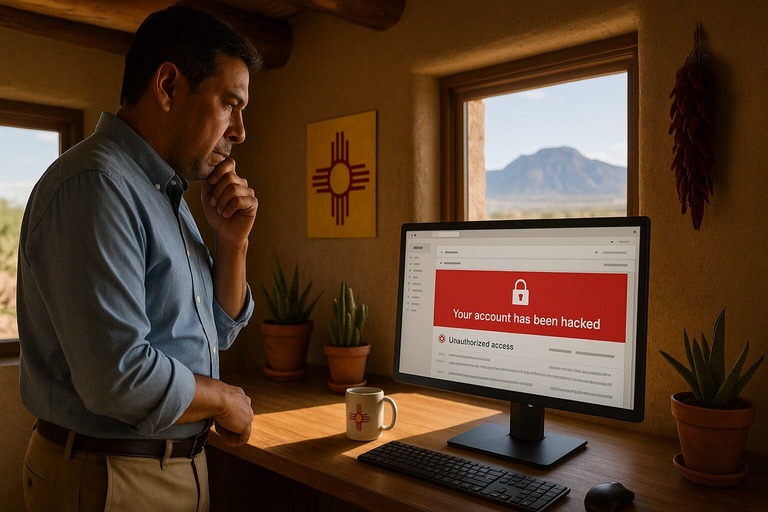
If you think your email has been hacked, act now. Massive leaks keep fueling credential stuffing, including a 2025 dataset with 16 billion stolen logins. One inbox can unlock your bank logins, cloud files, and client data. Hackers often get in through phishing emails, weak or reused passwords, no two-factor authentication, unsafe public Wi-Fi, malware, or a data breach at another site.
Speed matters. The longer someone has access, the more damage they can do. They can reset passwords to your other accounts, set secret forwarding rules, impersonate you, and trick your contacts into sending money or sharing data.
We’re talking about data theft and identity fraud, financial loss from scams or account takeovers, and business disruption, lost trust, and possible compliance issues. This should be of great concern because you are on the hook for what happens within your accounts, and you could be held liable for a hacker’s activities.
You will learn how to spot the warning signs, confirm a compromise, regain control, lock out the hacker, alert your contacts, and protect your accounts going forward. If you are thinking, “My email has been hacked” or “How do I fix it?” you are in the right place. And if you need hands-on help at any point, Zia Networks can assist you with fast recovery and strong protection.
See also: SMB takeaways from the recent SharePoint on-premise hack
Is My Email Hacked? How to Spot the Warning Signs
Not sure if your email is hacked? Watch for simple “indicators of compromise.” You might get sign-in alerts from places you have not been or see unknown devices in your account’s recent activity.
You may spot emails in your Sent or Drafts that you did not write or notice new filters or forwarding rules that you did not set. Password reset emails or security codes you did not request are another red flag.
If your password suddenly stops working or your recovery info was changed, that is a strong sign of trouble. Friends, clients, or coworkers saying they got strange messages, payment requests, or odd links from you is also a key warning.
Pay attention to MFA fatigue too. If you are getting many multi-factor prompts when you are not logging in, treat it as an attack. Change your password right away and tell your IT team. All it takes is one misclick on a push notification to let someone through MFA.
If any of this sounds familiar, act now. Move straight to the recovery steps and take notes or screenshots with dates and times. This helps you or an IT pro fix the issue faster.
Zia Networks can also set up logging and alerting so you hear about trouble early. The team can monitor for unusual logins, hidden forwarding rules, or large downloads and respond quickly, often before you notice anything is wrong.
What to Do If Your Email Is Hacked: Immediate Steps
Follow these steps in order. Do it on a device you trust.
- Immediately report to any IT professional. Don’t be afraid of being reprimanded. It is much better to contain the damage quickly and get the appropriate training to prevent a breach in the future than let an infection spread and cause more harm.
- Change your email password immediately. Pick a long, unique password that you do not use anywhere else. Aim for at least 12–16 characters with a mix of letters, numbers, and symbols. If you cannot sign in, use your email provider’s account recovery process first.
- Turn on multi-factor authentication (MFA). Add a second check at login using an authenticator app or token. This blocks attackers even if they know your password. Don’t rely on SMS to protect your account. SMS is very insecure and easy to bypass. If the account has already been compromised, they likely can spoof your sim as well to intercept SMS messages.
- Log out of all sessions and devices. Use your email account’s security or activity page to sign out everywhere. This removes the hacker from open sessions on phones, tablets, and computers.
- Update your recovery info. Confirm your backup email, phone number, and security questions. Remove anything you do not recognize. Add current details you control.
- Scan your device for malware or keyloggers. Run a full antivirus scan on every device you used to access email. Remove any threats found. Update your operating system and apps while you are at it.
- Check account filters and forwarding rules. Look at rules, filters, and forwarding settings. Delete any that send mail to unknown addresses, hide messages, or auto-reply without your knowledge. Also review your signature and auto-reply text.
After you secure email, change passwords on other important accounts that use the same password or that rely on your email for resets. This is a key part of what to do if your email is hacked and stops repeat attacks.
Who Else to Alert After an Email Hack
Once you secure your inbox, tell the right people fast. This limits damage and protects your relationships.
- Notify your business contacts and clients promptly. Send a short note to anyone who may have received a bad message. Ask them to ignore it, not click links, and verify any payment or data requests. Use BCC so you do not expose their emails.
- Let your IT support provider, like Zia Networks, know right away. Your IT team can check logs, remove risky access, reset sessions, and tighten settings across your devices and apps. They can also review mail rules, run malware scans, and help with company-wide steps if needed.
- Report the hack to your email provider. Use the provider’s recovery and security tools. Confirm your identity, review recent activity, remove unknown devices, and reset any app passwords or connected apps you do not recognize.
- Notify relevant regulators if data may be at risk. Follow any breach-notification rules that apply to your business, such as GDPR, HIPAA, or state breach laws. File the required reports through your region’s official portal and keep the case or reference number for banks, insurers, and auditors. If you are in the U.S., IdentityTheft.gov can guide you through the next steps. Zia Networks can help you decide who to notify and when.
If money was sent or account numbers were exposed, call your bank or card issuer immediately and ask about stopping or reversing charges.
What Could Be Compromised?
An email hack rarely stays in your inbox. Once someone gets in, they can reach many parts of your life and business.
- Bank accounts, online stores, and cloud services. Most accounts let you reset a password by clicking a link sent to your email. A hacker can use your inbox to take over bank logins, PayPal and shopping sites, and cloud tools like Drive or OneDrive. That can lead to money loss and data theft.
- Client communications and sensitive business data. Email often holds contracts, invoices, proposals, and private conversations. Attachments may include customer lists, pricing, or IDs. If exposed, this can hurt trust and create compliance problems.
- Using your address to run phishing scams. Attackers may send fake invoices or links from your address to your team, clients, or vendors. They might also set hidden forwarding rules so they keep getting copies of your mail after you change the password.
- Identity theft and impersonation. With access to your inbox, a hacker can gather personal details and reset other accounts. They can pretend to be you, open new accounts, or trick people into sending money.
If your email was hacked, review high-value accounts next. Change passwords, turn on MFA, and watch bank and card activity. If you need help, Zia Networks can guide you through locking things down and conducting a forensic analysis to determine where a breach may have extended to.
Extra Steps for Business Email Compromises
When a work account is compromised, you have to go beyond basic recovery. Lock down your business tools and create a paper trail.
- Review access to business tools like Microsoft 365 or Google Workspace. Open the admin center. Check recent sign-ins, connected apps, and app passwords. Revoke anything you do not recognize. Force sign-out for the affected user and require a password reset.
- Audit user permissions and reset shared passwords. Look at who has admin rights, mailbox delegation, and access to shared mailboxes or groups. Remove extra access and follow least-privilege rules. Rotate passwords for any shared accounts and update entries in your password manager.
- Notify vendors or partners if business communications may have been affected. Send a short alert so they know to ignore strange invoices or links. Share a safe alternate contact method.
- Review email logs and download activity if possible. Check message trace, forwarding, and rules. Look for unusual logins, bulk sends, or downloads. Export logs or screenshots with dates and times and save them to a secure folder. This helps with follow-up, insurance, or compliance reviews.
If you suspect data exposure, document what may have been accessed, when it happened, and who was notified. Then speak with Zia Networks about next steps for your company policy and compliance needs.
How to Prevent Future Hacks
About 60% of data breaches involve the human element, like phishing or user mistakes. The good news: a few simple habits can block most attacks.
- Keep business and personal use on different devices. You can greatly reduce your risk by keeping your work assets isolated.
- Use a password manager. Create long, unique passwords for every account and store them in a manager. Do not reuse passwords. Turn on the manager’s autofill and use it on your phone and computer.
- Enable 2FA on all major accounts. Add a second step at login with an authenticator app or text code. Start with email, banking, payroll, cloud storage, and social media. Save your backup codes in a safe place.
- Train your team to spot phishing. Teach everyone to slow down, check the sender, hover over links, and never open unexpected attachments. Make “verify by phone” the rule for any payment or password request. Encourage staff to report suspicious emails right away.
- Keep software and firmware up to date. Turn on automatic updates for your operating system, browser, email app, and antivirus. Remove old plugins and apps you no longer use. Update your router firmware and change the default admin password.
- Use secure networks. Avoid public Wi-Fi for sensitive work. If you must use it, connect through a trusted VPN. Turn off auto-join for open networks.
Need help putting this in place? Zia Networks can set up your password manager, enforce MFA, run phishing training, manage updates, and configure a secure VPN or other secure access method for your team.
How Zia Networks Helps Protect Your Email and Business
- Ongoing monitoring and security audits. Comprehensive IT security services keep watch on your accounts and systems 24/7. The team reviews login activity, mail rules, and admin changes, then runs regular security checkups to close gaps before they are a problem.
- Business-grade email protection and anti-phishing filters. Zia Networks sets up advanced filtering that blocks dangerous links, fake senders, and malware. The team also enforces SPF, DKIM, and DMARC so your domain is harder to spoof and your messages are safer.
- Rapid incident response and recovery support. If something goes wrong, Zia Networks acts fast. The team locks out attackers, removes bad rules, resets sessions, and guides you through password, MFA, and device cleanup so you can get back to work quickly.
- Employee cybersecurity awareness training. Your people are your first line of defense. Zia Networks provides short, practical training and safe phishing tests so your team knows how to spot and report suspicious emails.
- Customizable IT security for small businesses. Every business is different. Zia Networks tailors solutions to your size, tools, and budget. From password managers and MFA to mobile device policies and secure VPNs, the team builds a plan that fits and grows with you.
Ready to tighten email security? Zia Networks can audit your setup, fix weak spots, and put simple protections in place so a single inbox does not put your business at risk.
Stay Calm, Take Control, and Get Support
Getting hacked is scary, but you can recover. What matters most is acting fast. Start with the basics: change your password, turn on MFA, log out everywhere, update your recovery info, scan your devices, and remove any bad rules or forwarding. Then alert your contacts, tell your email provider, and report possible identity theft.
If you need help at any point, Zia Networks is ready. The team provides fast incident response, business-grade email security, and training for your employees. Request a free business technology review to secure your inbox today and keep your business safe going forward.