What is IT Support?

Share this post
What is IT Support?
- Last Modified:
What Does “IT” Stand For?
IT stands for Information Technology. It refers to the equipment and software we use every day, both at home and at work — things like computers, networks, printers, scanners, and apps.
How Does Technology Help My Business?
Using technology in your business gives you a huge advantage. It helps you and your team work faster and smarter. You can communicate with teammates, clients, and vendors through email, video calls, and collaboration tools. Technology also opens doors to grow your business by selling products online, running digital marketing campaigns, and reaching customers through online marketplaces.
With so many options out there, it can be hard to know where to start. Try a few tools, take time to learn them, and make sure you have someone to call when something goes wrong — that’s where a local IT support team comes in.
What Does IT Support Actually Do?
IT support is a person or team that helps your business with its technology. They install, set up, maintain, and fix your hardware and software. They also train you and your employees on how to use everything correctly.
IT support teams can communicate with you in many ways — phone, email, live chat, video calls, or even by remotely connecting to your computer to fix issues directly.
Some businesses hire an in-house IT team that works on-site every day. Others partner with an outside IT company. The right choice depends on the size of your business and how much tech support you need.
How Does the Troubleshooting Process Work?
When something goes wrong with your technology, here’s what the process typically looks like:
- Identify the Issue. You or an employee notices a problem with hardware, software, or the network.
- Report the Issue. Contact your IT support team by phone, email, or a ticketing system. They’ll let you know the best way to reach them when you first start working together.
- Troubleshoot and Diagnose. The IT team asks questions, runs tests, and gathers information to figure out what’s causing the problem.
- Fix the Issue. They apply a solution — this could mean updating software, adjusting settings, or running repairs.
- Stay in Communication. Your IT team keeps you updated throughout the process, including how long it might take and what they need from you.
- Test and Confirm. Once the fix is applied, they test everything to make sure it works — and may ask you to confirm the problem is resolved.
- Document It. The team records what happened and how they fixed it. This helps them spot patterns and solve future problems faster.
- Follow Up. In some cases, they’ll check back in with you to make sure everything is still working and that you’re happy with the results.
Common Tech Problems Businesses Face
The more technology your business uses, the more efficient it becomes — but it also means more potential problems. Here are some of the most common issues that might have you reaching out to IT support:
- Network Issues: Slow internet, dropped Wi-Fi, or devices that won’t connect.
- Software Errors: Apps that crash, won’t update, or aren’t compatible with each other.
- Hardware Failures: Computers, servers, printers, or other equipment that stop working.
- Cybersecurity Threats: Viruses, phishing scams, ransomware, or unauthorized access to your systems.
- Data Loss: Files accidentally deleted, lost due to hardware failure, or not properly backed up.
- Email Problems: Issues sending or receiving email, spam, or phishing messages in your inbox.
- Human Error: Mistakes made by employees due to lack of training or cybersecurity awareness.
- Compliance Issues: Keeping up with data privacy laws and industry regulations related to technology.
Dealing with these issues takes a combination of good IT management, cybersecurity tools, regular maintenance, and employee training — all things a reliable IT support team can help with.
Finding the Right IT Support for Your Business
The right IT support partner can help your business grow, stay secure, and run smoothly. Zia Networks provides dependable IT management for small and medium-sized businesses across New Mexico. We’ve been proud to serve our local community for years, partnering with businesses just like yours. Reach out today and let’s talk about how we can take the stress of technology off your plate so you can focus on what you do best.
Business

October 8, 2026
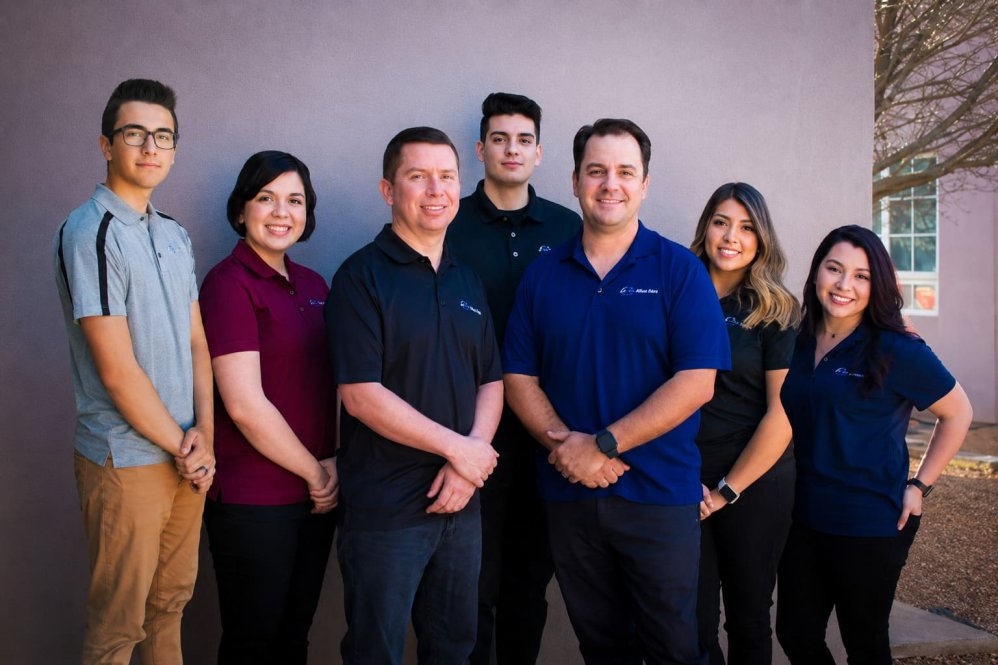
This Is Paul Quintana - he's here to help with your infrastructure.
This Is Paul Quintana – he’s here to help with your infrastructure.
Why not book a convenient 30 minutes with our managing director? He regularly offers these huge value sessions, without charge, to companies who feel overwhelmed with their infrastructure issues and need guidance and the right expertise.
This Is Paul Quintana – he’s here to help with your infrastructure.
It’s a free, no-obligation chat and it could start you on the path to removing the pains of IT.